 E-book Registration

Important Notes
- For multiple users on one PC please see the instructions here.
- Serial numbers can only be used once.
- Offline E-books are windows specific only and will not run on a Mac, Tablet or I-pad
- Administrator Rights are needed to install the E-book. The administrator password is only needed for the initial install.
Install & Activate the Offline E-book on a Single User PC.
1) Download and Run the Setup.exe file. How to find the Download link.
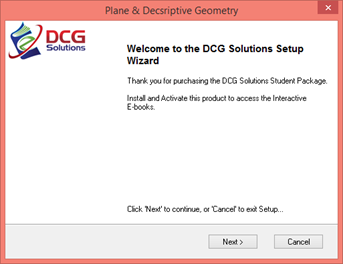
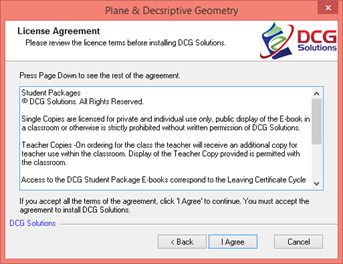
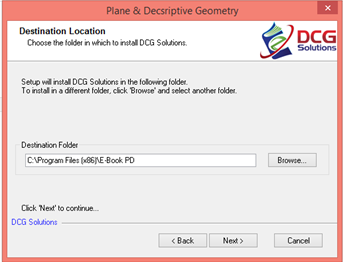
Follow the suggested on-screen set up to install the e-book.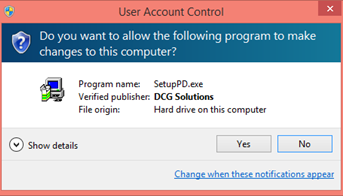
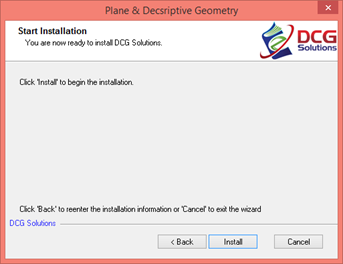
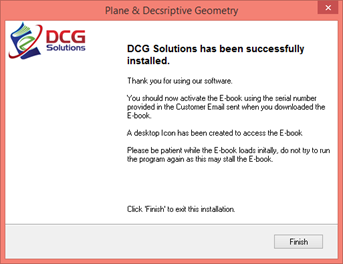
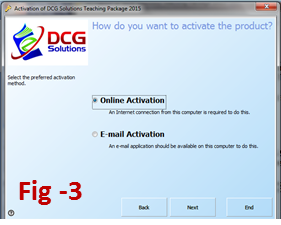
2) A registration screen will open, choose Online Activation, Fig-3.
Enter your name and email, use the serial number supplied to your email address to activate the E-book.
Click Next, a Successful Activation notification should appear.
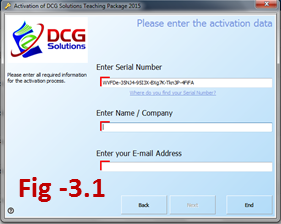
3) If Online Activation fails choose Email Activation; enter your name and email, use the serial number supplied to your email address.
Click Next to activate the E-book. Registration details will be copied to the clipboard, paste these into an email and send to
Online Activation is instant, please allow up to 2 working days for replies to email activation.
4) Your E-book should start automatically.
Desktop shortcuts (shown below) will be created to access the E-book.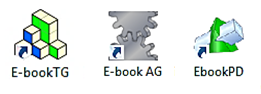
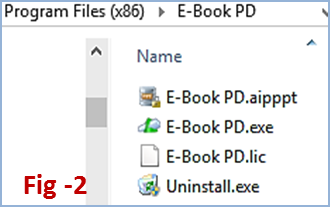
If no shortcut is created navigate to the E-Book folder in your Program Files (Computer - Windows C Drive - Program Files) Fig-2.
Right-click on E-book.exe and create a short cut, this shortcut can be pasted onto the desktop.
To Install the E-book on a multi-user PC click here.
For server editions please contact DCG Solutions
Additional Notes
• Each serial number can only be used once.
• Serial numbers are sent to the email registered on the account, you should also check any spam or junk folders.
• Unsure what email address you have use? Click the Online E-books Tab and choose User Profile or Edit Account to check the email address used.
• If no internet is available on the destination PC, choose Email Activation.
Registration details will be copied to the clipboard; these can be pasted into a word document. Save the details onto a USB and send from any PC. An activation code will be returned via email.
For additional help or queries please choose from the links below.







 Seafield, Quilty